


How to Use the XCHO Bark Training Device: A Complete Guide for Dog Owners
If you’re looking for an effective way to train your dog and reduce excessive barking, the XCHO Bark Training Device is a reliable tool designed to help. This guide will walk you through everything you need to know about using this device safely and effectively. From setup to daily use, we’ll cover all the details to ensure you and your dog have the best experience possible.
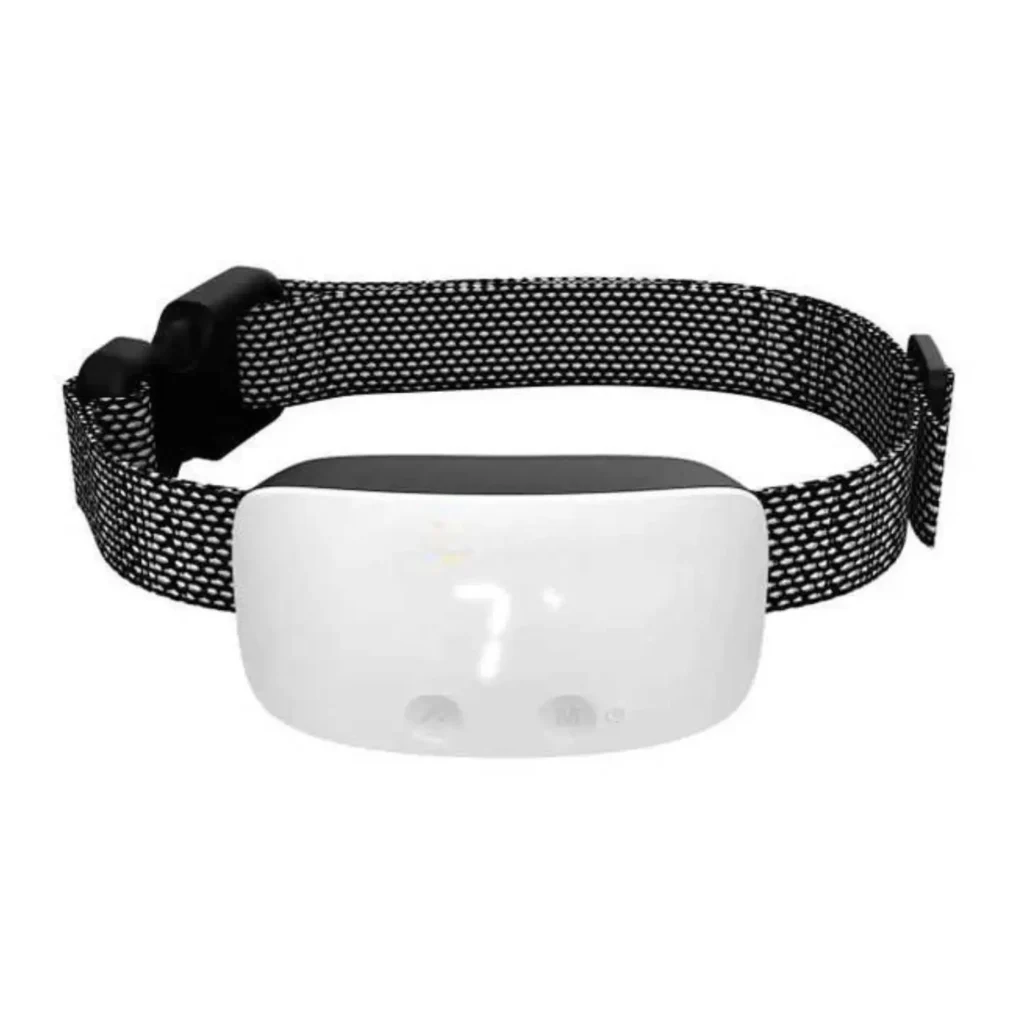
What’s in the Box?
When you purchase the XCHO Bark Training Device, you’ll find the following items included:
Bark Training Device
User Manual
Nylon Collar
USB Charging Cable
E-Shock Test Unit
E-Shock Probes (2 Pairs)
First-Time Use Instructions
Before using the device for the first time, follow these steps:
Charge the Battery: Fully charge the device before initial use. You can check the battery level in standby mode by touching the button.
Default Settings: The device comes with default settings:
Sensitivity Sensor Level: 6
Vibration Level: 3
E-Shock Level: 0 (off)
If you don’t want to use the E-Shock feature, no additional settings are required.
Read the Manual: Carefully review the user manual and keep it in a safe place for future reference.
Important Warnings:
Do not use the device for more than 12 hours per day.
Suitable for dogs weighing 5kg–50kg (11lbs–110lbs) with a neck circumference of up to 62cm (25in).
Not recommended for dogs under 5kg (11lbs) or younger than 6 months.
Keep the device away from children.
Avoid direct contact with the E-Shock terminals when the device is powered on.
Key Features of the XCHO Bark Training Device
The device offers three primary training methods to help manage your dog’s barking:
Beep Training:
Always active and cannot be turned off.
Emits a sound lasting 2 seconds when triggered.
Vibration Training:
Adjustable levels from 0 (off) to 7 (highest intensity).
Default setting: Level 3.
E-Shock Training:
Adjustable levels from 0 (off) to 7 (highest intensity).
Default setting: Level 0.
How It Works:
The device is triggered by your dog’s barking.
The sensitivity level determines the barking volume required to activate the device.
When both vibration and E-Shock are enabled, the device follows this sequence: Beep → Vibration → E-Shock.
For safety, the device pauses for 1 minute after 7 consecutive triggers, even if barking continues.
How to Fit the Device on Your Dog
Before using the device, ensure it’s properly fitted on your dog:
Check Your Dog’s Health:
Ensure your dog is healthy before using the device. Consult a veterinarian if needed.
Do not use the device on aggressive dogs, as it may increase the risk of bites.
Adjust the Collar:
Fit the collar snugly around your dog’s neck, ensuring the probes make good contact with the skin.
For long-haired dogs, trim the hair around the throat area for better contact, but avoid shaving.
Comfort and Safety:
The collar should be tight enough for proper contact but not too tight to cause discomfort.
Do not leave the collar on for more than 12 hours per day.
Check your dog’s skin daily for rashes or sores, and keep the contact points clean.
How to Operate the Device
Power On/Off
Power On: Long press the button.
Power Off: Long press the button again. You must enter setting mode to turn off the device.
View Settings
Short press the button to toggle through and view the current settings:
E-Shock Level (0–7)
Vibration Level (0–7)
Sensitivity Level (1–7)
Battery Level
Adjust Settings
Enter Setting Mode: Tap the button 3 times.
Switch Functions: Tap to cycle through the functions (E-Shock, Vibration, Sensitivity).
Adjust Levels: Tap to increase the level for each function.
Exit Setting Mode: The device automatically exits after 3 seconds of inactivity.
General Guidelines for Settings
Sensitivity: Lower sensitivity levels are better for louder environments or multiple dogs.
Beep: Always active; no adjustments needed.
Vibration: Low discomfort warning; suitable for most dogs.
E-Shock: High discomfort warning; start at low levels for small dogs and increase gradually for larger or more tolerant dogs.
Automatic Shutdown
When the battery is low, the device will flash “L” 30 times before automatically shutting down.
Tips for Effective Training
Well-Trained Dogs: Use only the beep or low-level settings.
Small Dogs: Start with low levels and increase gradually.
High-Endurance Dogs: Higher settings may be necessary.
Multiple Dogs: Reduce sensitivity to avoid false triggers.
Noisy Environments: Lower sensitivity to prevent unnecessary activation.
Dog’s Mood: If your dog seems anxious or depressed, use only the beep or low-level stimulation.
Maintenance and Safety Tips
Remove During Play: Take off the device before playing with your dog to avoid unnecessary triggers.
Store Safely: Keep the device out of reach of children and pets when not in use.
Clean Weekly: Use alcohol or other disinfectants to clean the device, especially the contact points. Always power off before cleaning.
Avoid Other Collars: Remove any additional collars, as they may cause noise and false triggers.
Do Not Use as a Leash: This device is not designed to be used with a leash.
Final Thoughts
The XCHO Bark Training Device is a versatile and effective tool for managing your dog’s barking. By following this guide, you can ensure safe and proper use while achieving the best results for your pet. Remember, every dog is unique, so adjust the settings based on your dog’s size, temperament, and environment.
With patience and consistency, this device can help you create a quieter, happier home for both you and your furry friend. Happy training!